What to Do If You Cannot Access to Your Current Security Verification
Unable to Complete Verification?
Forgetting or losing access to your registered email, phone number, or Authenticator App is a common issue that can lock you out of your account.
When You Need This Recovery Process
- You no longer have access to the old email.
- You have changed or lost your phone number and can’t receive SMS codes.
- Your Authenticator App is lost, the phone has been reset, or the app is unavailable.
- Normal login or verification methods all fail.
In these cases, you cannot use the standard “change” options and must go through the Security Verification Unavailable route.
Follow these steps to update your email, phone number, or Authenticator App when you have lost access to the original verification methods.
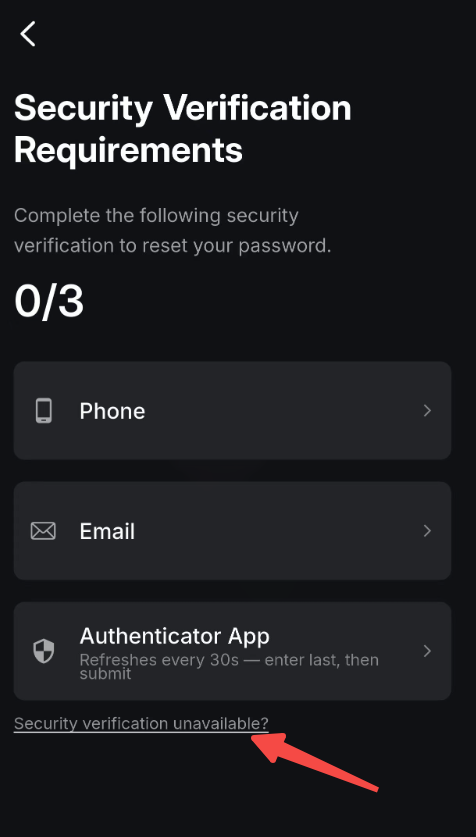
- If you are unable to complete the required security verification.
- please select Security verification unavailable?
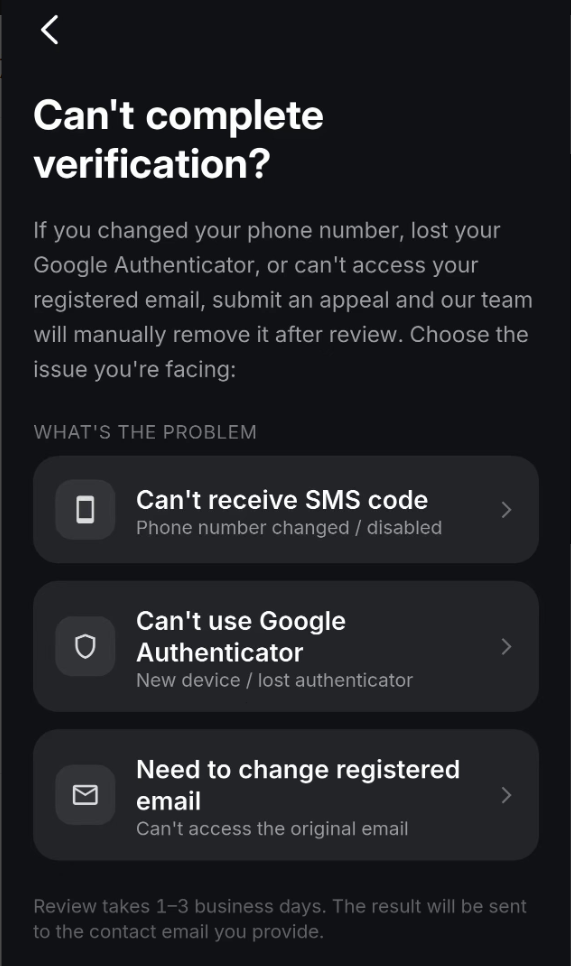
- Select the verification option you are unable to complete.
- For example: Unable to receive SMS code. (The same process also applies to your registered email and Authenticator App.)
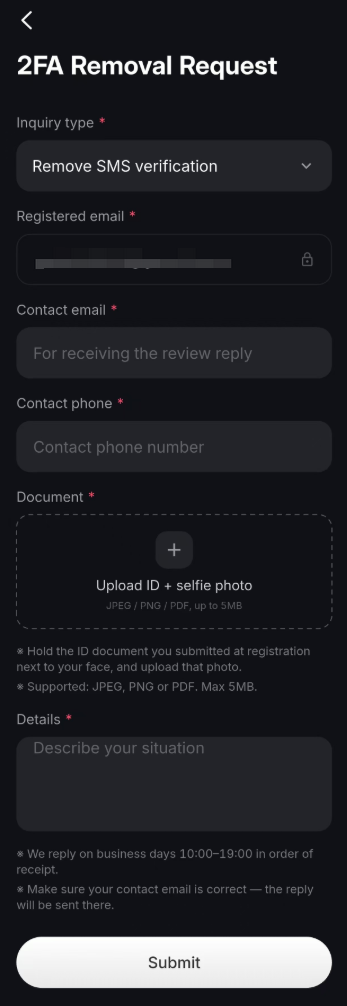
- Fill in the required information on the current page, then select the Submit button.
💡Review Process:
- Review takes 1-3 business days. The result will be sent to the contact email you provided.
- We reply on business days between 10:00-19:00 in the order received.
- Please ensure your contact email is correct — the reply will be sent there.
Best Practices to Avoid Future Issues
- Use an Authenticator App with cloud backup (such as Authy) instead.
- Use an Authenticator App with cloud backup (such as Authy) instead of relying solely on SMS or email.
- Regularly review and update your bound contact information.
- Store account recovery codes and backup keys safely offline.