Instant Buy/Sell Charts
On our platform’s buy/sell page, trading charts are available on both App and Web.
While staying on the trading page and tracking the performance of your favorite assets, you can also:
- Place orders using the order panel
- Check your Open Orders and Order History (Web)
Instant Buy/Sell Trading Charts
- App
- Web
App
- Select
 on the bottom tool bar.
 - Select Spot the bottom.
- Select
 in the top left corner.
 - Choose any point.
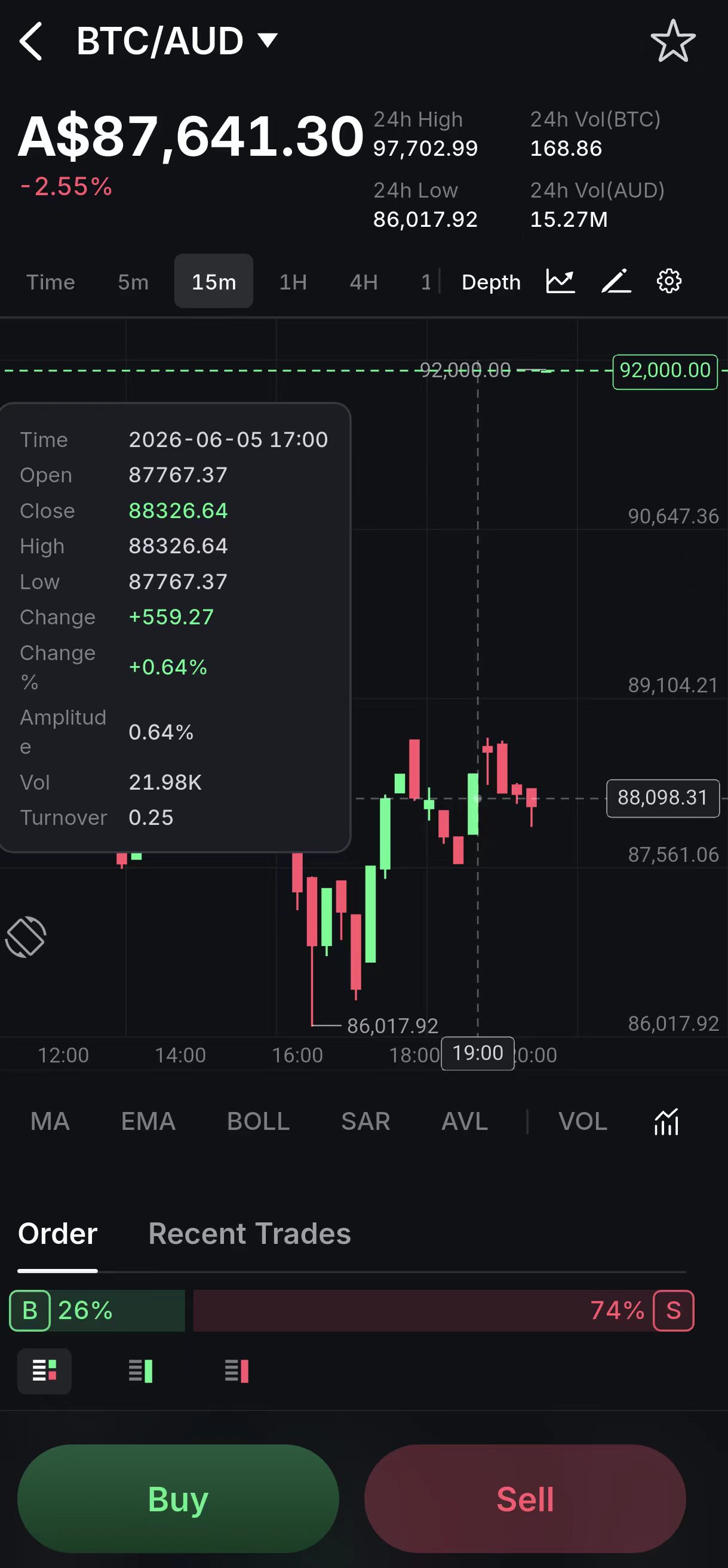
Features:
- You can set the trading pairs and time horizon to analyze asset performance.
- The price indicators of the selected time will be shown when you select any point of the line.
Web
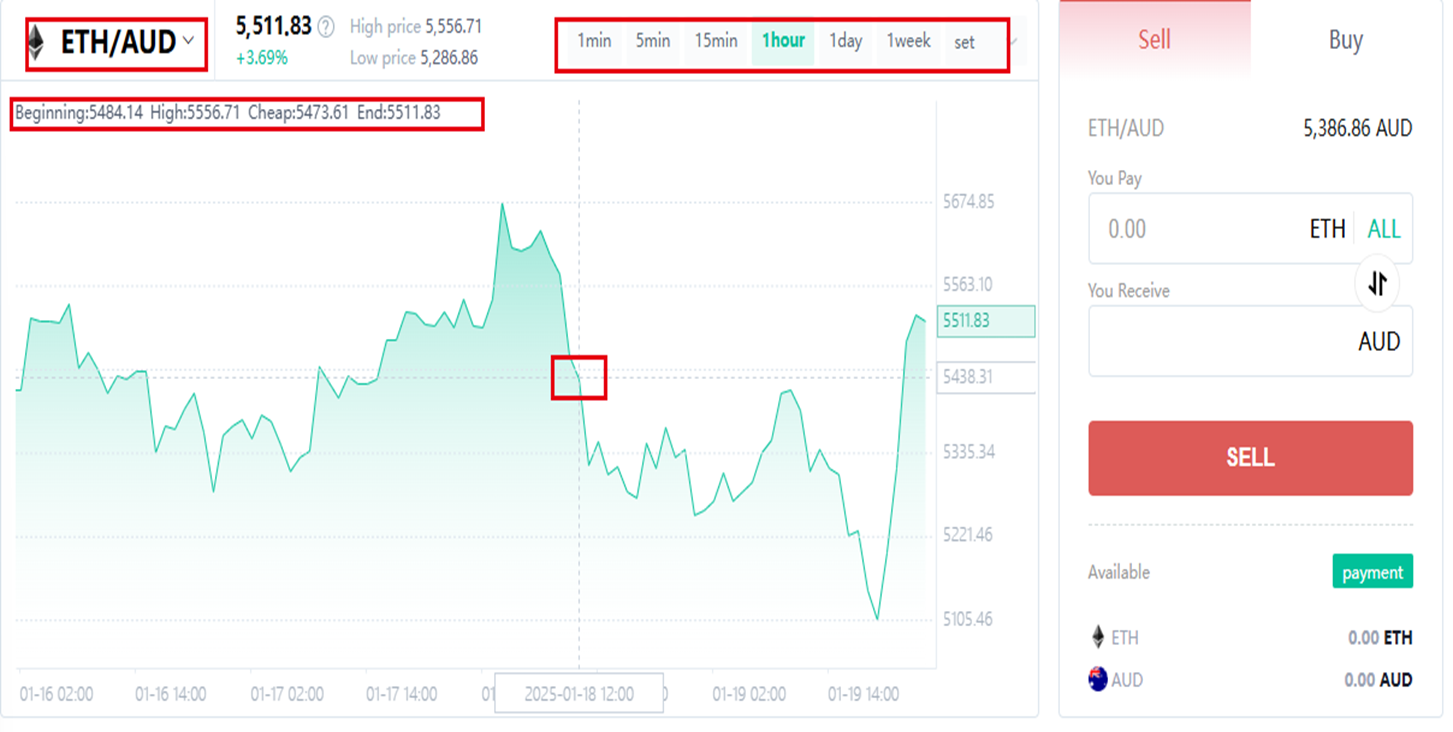
Features:
- You can set the trading pairs and time horizon to analyze asset performance.
- The price indicators of the selected time will be shown when you select any point of the line.