Account Statement
How to view your Account Statement
You can download your last 12 monthly account statements from the Account Statement page.
- Mobile App
App
- Select the
 in the top right corner to open the Personal Center page.
 - Select Statement.
- This displays the last 12 monthly account statements.
- Each monthly statement is generated on the last day of the month.
- Select Download to download the statement for the selected month.
- The Statement section provides an overview of your cryptocurrency holdings and their current value.
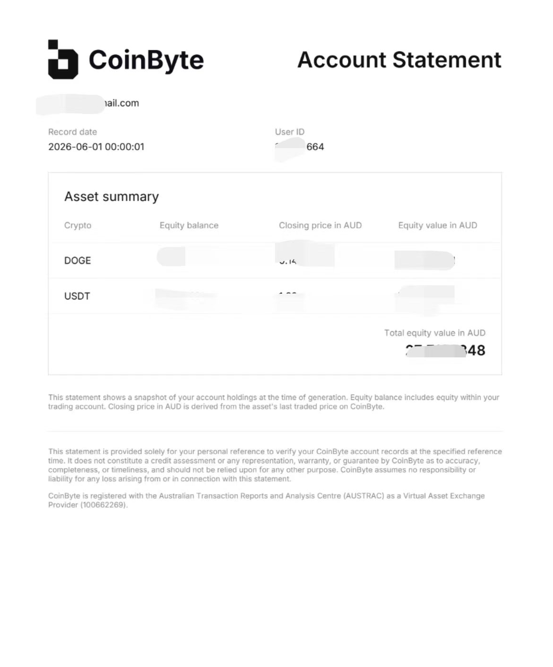
The page displays the following information for each asset:
- Crypto – Crypto in the account
- Equity Balance – The quantity of the asset you currently own.
- Closing Price in AUD – The latest closing price of the asset in Australian dollars.
- Equity Value in AUD – The total value of your holdings in Australian dollars, calculated based on your balance and the closing price.
You can use the Asset Summary to quickly review your portfolio and monitor the value of your assets.